
Table of Contents
ToggleWhen you’re assembling a home workspace that’ll actually work for the long haul, your chair isn’t just furniture, it’s infrastructure. Herman Miller office chairs have earned their reputation not through marketing hype but through decades of ergonomic research, material engineering, and field-tested durability. These aren’t the chairs you’ll replace in two years when the gas cylinder fails or the mesh starts sagging. For remote workers, freelancers, and anyone logging serious hours at a desk, understanding what separates a Herman Miller from budget alternatives can make the difference between ending your workday energized or aching.
Key Takeaways
- Herman Miller office chairs deliver decades of ergonomic research and durability that justify their premium price through extended lifespan and resale value, making them true infrastructure investments for remote workers.
- The Aeron remains the mesh reference standard with its 8Z Pellicle suspension and adjustable PostureFit SL lumbar support, while the Embody excels for dynamic movement with its pixelated backrest, and the Sayl offers budget-conscious entry-level performance.
- Proper setup determines ergonomic effectiveness: match your size to the correct chair model, adjust seat height with feet flat and thighs parallel, and fine-tune lumbar support and tilt tension within the first week before materials conform to your body.
- Herman Miller office chairs maintain 50-60% resale value after five years, significantly lowering total cost of ownership compared to replacing budget alternatives every two years.
- Room climate and aesthetic context should guide model selection—mesh chairs excel in warm environments while foam-seat models integrate better in living spaces, and industrial versus contemporary designs affect how they fit your home office décor.
Why Herman Miller Chairs Stand Apart in Home Office Design
Herman Miller’s engineering approach treats seating like a biomechanical problem, not a styling exercise. The company’s PostureFit and PostureFit SL systems, for example, target the sacral and lumbar regions separately, most competitors lump lumbar support into a single adjustable pad that pushes your entire lower back forward. That specificity matters when you’re sitting for six to ten hours daily.
Material selection runs deeper than aesthetics. The 8Z Pellicle suspension used in the Aeron distributes weight across eight zones of varying tension, eliminating pressure points without foam that compresses over time. It’s not just breathable, it maintains consistent support whether you weigh 110 or 300 pounds, thanks to three size options (A, B, and C) that adjust the seat pan depth and backrest proportions.
The frames use die-cast aluminum and glass-reinforced nylon rather than stamped steel or injection-molded plastic. This isn’t about premium feel, it’s structural. A proper Herman Miller chair carries a 12-year warranty because the skeleton won’t fatigue. The tilt mechanisms use self-lubricating bearings and coil springs rather than gas cylinders alone, which means adjustments stay crisp a decade in.
From a home office perspective, these chairs also hold resale value. A five-year-old Aeron in good condition still commands 50-60% of its original price on the used market, which effectively lowers your total cost of ownership compared to replacing a $300 chair every two years.
Design publications like Design Milk frequently feature Herman Miller pieces not just for their function but because they’ve influenced generations of furniture design, the Aeron’s exoskeleton aesthetic, the Embody’s pixelated backrest. They read as intentional in a room, not as “office spillover.”
Top Herman Miller Office Chair Models for Your Home
The Iconic Aeron Chair
The Aeron remains the reference standard for mesh task seating since its 1994 introduction. The current remastered version (2016) refines the original with harmonic tilt that keeps your feet planted as you recline, eliminating that tippy sensation cheaper chairs produce.
Key specs: 8Z Pellicle mesh (no upholstery to stain or wear), adjustable PostureFit SL lumbar support, 4D armrests (height, width, depth, pivot), and a tilt tension range that accommodates users from 90 to 350 pounds depending on size. The size B fits most users between 5’3″ and 6’5″, but measure your desk height first, the seat height range is 15.75″ to 20.5″ fully extended.
Caveats: The mesh feels firm initially. If you’re used to plush cushions, budget a week for acclimation. The chair also lacks a headrest in the standard config, you’ll need the Atlas aftermarket headrest (around $200) if you lean back frequently. Price runs $1,545 to $1,895 depending on finish and tilt options.
The Ergonomic Embody Chair
The Embody targets users who need spinal alignment during dynamic movement, developers, designers, anyone shifting positions constantly. Its pixelated backrest support matrix uses individual flexible ribs that adapt to your spine’s curve rather than forcing you into a preset contour.
The backrest’s narrow profile (17.5″ wide at the shoulders) allows your shoulder blades to move freely without catching on upholstery wings. This matters if you’re sketching, gaming, or gesturing during video calls. The copper-infused cooling foam in the seat dissipates heat better than standard polyurethane, a real benefit during summer months in non-climate-controlled spaces.
Adjustments include BackFit adjustment (backrest depth), seat depth (15.75″ to 18″), and tilt limiter with four lock positions. The armrests adjust for height and pivot, but not width, they’re fixed at 21″ outside-to-outside, which feels narrow if you’re broad-shouldered.
Price: $1,895 to $2,095. The Embody runs quieter than the Aeron, no mesh creak when shifting weight, making it a better choice for shared spaces or video recording setups. Product testing from Good Housekeeping and similar consumer labs consistently rate the Embody highest for long-term comfort during extended sitting sessions.
The Versatile Sayl Chair
The Sayl is Herman Miller’s entry point, designed by Yves Béhar as an affordable suspension chair using unframed elastomer back support tensioned across a 3D intelligent spine.
Don’t read “affordable” as “compromised”, the Sayl uses the same pneumatic cylinder and tilt mechanism as chairs twice its price. The suspension back breathes like mesh but flexes more forgivingly, making it comfortable for lighter users (under 150 pounds) who find the Aeron too rigid. The seat pan uses molded foam with waterfall edge, which reduces pressure on thighs better than hard-edged mesh.
Limitations: The armrests adjust for height only (not width or pivot), and the lumbar support isn’t adjustable, it’s molded into the spine. The suspension stretches slightly over years of heavy use (250+ pounds daily), so it’s best for users under 220 pounds.
Price: $545 to $795. At this range, you’re competing with steel-frame mesh chairs from Steelcase and Autonomous. The Sayl wins on visual design and warranty (12 years vs. 5-7 typical), but if you need full adjustability, save for the Aeron.
How to Choose the Right Herman Miller Chair for Your Space
Start with user height and weight. Herman Miller publishes fit ranges for a reason, the Aeron size A (for users under 5’2″ and 150 pounds) has a 15.25″ to 18.5″ seat height range, while size C (over 6’2″ or 230+ pounds) extends 16.75″ to 21.25″. Sitting in the wrong size negates the ergonomic engineering.
Measure your desk height before ordering. Standard desks sit at 29-30″ (nominal 2×4 construction plus top), which pairs with a seat height of 17-19″ for most users. If you’re using a standing desk converter or custom-height workstation, confirm the chair’s range accommodates it. The Embody’s minimum seat height is 16″, which can feel tall for shorter users at standard desks.
Usage hours dictate model choice. Logging 6+ hours daily? The Aeron or Embody justify their cost through durability and adjustability. Working 3-4 hours with other tasks mixed in? The Sayl delivers 80% of the performance at half the cost.
Consider room climate. Mesh chairs (Aeron, Sayl) excel in warm environments or spaces without AC, no sweaty back after a long call. The Embody’s foam seat insulates more, which feels better in cooler basements or drafty rooms but runs warmer in summer.
Aesthetic context matters in a home setup. The Aeron’s industrial look reads technical, it works in modernist or minimalist spaces but clashes with traditional furniture. The Embody’s fabric options (available in over a dozen colorways) integrate more naturally into living rooms or bedrooms doubling as offices. The Sayl’s streamlined profile fits tighter spaces, it’s 26″ wide vs. the Aeron’s 27.25″.
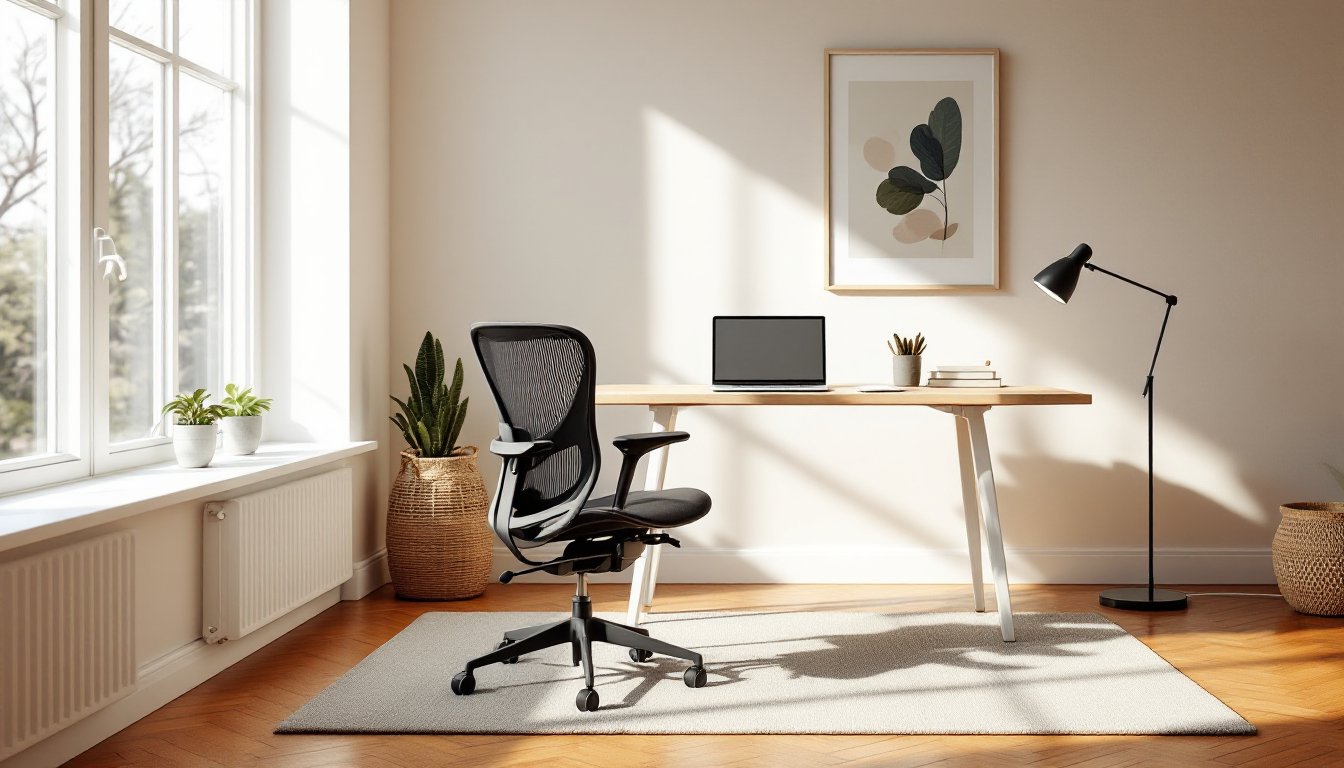
Check used markets before buying new. Authorized dealers like this contemporary home office setup show how a well-maintained Aeron ages gracefully, and reputable resellers offer refurbished units with partial warranties at 40-50% discounts. Just inspect the tilt mechanism, armrest pads, and mesh tension before committing.
Setting Up Your Herman Miller Chair for Maximum Comfort
Herman Miller ships chairs partially assembled, expect 10-15 minutes with an Allen wrench (included) to attach the backrest and armrests. The tilt mechanism and cylinder come pre-installed. No special tools required, but a second pair of hands helps align the backrest brackets.
Initial adjustments (do these in order):
-
Seat height: Feet flat on floor, thighs parallel to ground, 90-degree knee bend. The pneumatic lever (right side under seat) raises/lowers the cylinder. If your feet don’t touch, add a footrest, don’t lower the seat so much your knees rise above your hips.
-
Seat depth (Embody, Aeron remastered): Pull the lever under the front seat edge and slide the pan forward until you have 2-3 fingers’ clearance between the seat edge and the back of your knees. Too deep, and the edge cuts circulation: too shallow, and your thighs lack support.
-
Lumbar support: On the Aeron, the PostureFit SL has two knobs on the lower back. The lower knob adjusts sacral (pelvis) support, the upper one adjusts lumbar curve depth. Set the sacral support first, it should press your pelvis slightly forward. Then adjust the lumbar until your lower back touches without forcing your shoulders forward.
-
Armrest height: Shoulders relaxed (not shrugged), elbows at 90 degrees. Armrests should just support your forearms without lifting your shoulders. The 4D armrests on the Aeron also pivot and slide front-to-back, angle them inward slightly if you type with your arms close to your body.
-
Tilt tension: The knob under the seat (front center) controls how much resistance the backrest offers when you lean back. Tighten it if you’re heavier or prefer firmer support: loosen it if you like to rock. The tilt should feel controlled, not floppy.
-
Tilt limiter (Embody, Aeron): The lever on the right locks the backrest at different recline angles. For desk work, lock it upright. For reading or video calls, set it to a slight recline (10-15 degrees) to reduce hip flexor tension.
Break-in period: The Aeron mesh and Embody backrest matrix feel stiff for the first 5-10 hours of use. This is normal, materials conform to your body over a week. Don’t over-tighten lumbar support initially: reassess after a few days.
Maintenance: Wipe mesh or fabric with a damp microfiber cloth monthly. Vacuum the Aeron mesh from below to clear dust. Check tilt tension and armrest bolts annually, high-use environments can loosen hardware. The self-lubricating bearings don’t need oil, but if you hear squeaking after years of use, a single drop of silicone lubricant (not WD-40) on the tilt pivot points solves it.
If you’re combining the chair with a sit-stand desk, program your desk’s standing height first, then set the chair for sitting. Most users need the desk at elbow height for both positions, typically 28-30″ sitting, 38-42″ standing depending on height.